
Getting locked out of your Snapchat account is one of those things that feels completely out of nowhere. You try to log in, and instead of your camera opening up, you're hit with a message telling you the account is temporarily locked. No explanation, no warning — just locked.
The good news is that a temporary lock is almost always fixable. The process takes less than ten minutes if you know what to do. This guide walks you through exactly why it happens, how to tell whether your lock is temporary or permanent, and the right steps to get back in without making things worse.
Why Snapchat Locks Accounts
Snapchat locks accounts automatically when it detects something that doesn't look right. It's not always because you did something wrong — sometimes it's a security system flagging unusual behaviour to protect you. The most common reasons are:
Using third-party apps or modifications. Apps like Snapchat++ or any unofficial mod version of Snapchat are detected almost immediately. Snapchat's system flags these as unauthorised access and locks the account. Even "snap score boosters" or plugins that claim to work alongside the official app can trigger this.
Too many failed login attempts. Typing the wrong password multiple times in quick succession triggers a protective lock. This is Snapchat's way of stopping someone from brute-forcing access to your account.
Logging in from multiple locations rapidly. If your account shows login activity from different countries or cities within a short time frame, Snapchat treats it as a compromised account and locks it automatically.
Mass friend requests before verifying your details. Sending a large number of friend requests on a new or unverified account gets flagged as spam behaviour and results in a lock.
Reported or flagged content. If other users report your account or your content was found to violate Snapchat's Community Guidelines, a temporary lock may be applied while the issue is reviewed.
Temporary Lock vs Permanent Lock — How to Tell the Difference
This is the first thing to figure out because the fix is completely different for each.
A temporary lock shows a message telling you to wait and try again, or gives you the option to visit accounts.snapchat.com to unlock. Sometimes it specifies a time — 24 hours, 48 hours. You haven't necessarily broken any rules; the system flagged something and is giving you a chance to verify and get back in.
A permanent lock tells you the account has been permanently locked for violating Community Guidelines or Terms of Service. There's no timer and no simple unlock button. In some cases you'll see an "Appeal Decision" option — this means the lock may be eligible for review, but it's not guaranteed to be reversed.
If you're not sure which you're dealing with, look at the exact wording of the message. "Temporarily locked" or "wait 24/48 hours" means temporary. "Permanently locked" or "violates our Community Guidelines" means permanent.
How to Unlock a Temporarily Locked Account
Follow these steps in order. Don't skip ahead — doing things out of sequence can extend the lock or make it harder to recover.
Step 1: Remove any third-party Snapchat apps immediately. Before you do anything else, delete any unofficial Snapchat apps, mods, or plugins from your device. If you try to unlock while these are still installed, Snapchat may detect them again and extend the lock or make it permanent.
Step 2: Wait the specified time. If the message tells you to wait 24 or 48 hours, wait the full time before attempting to log in. Repeated failed attempts during the lock window can extend it. Check the exact message — if it says 24 hours, set a reminder and don't touch it until then.
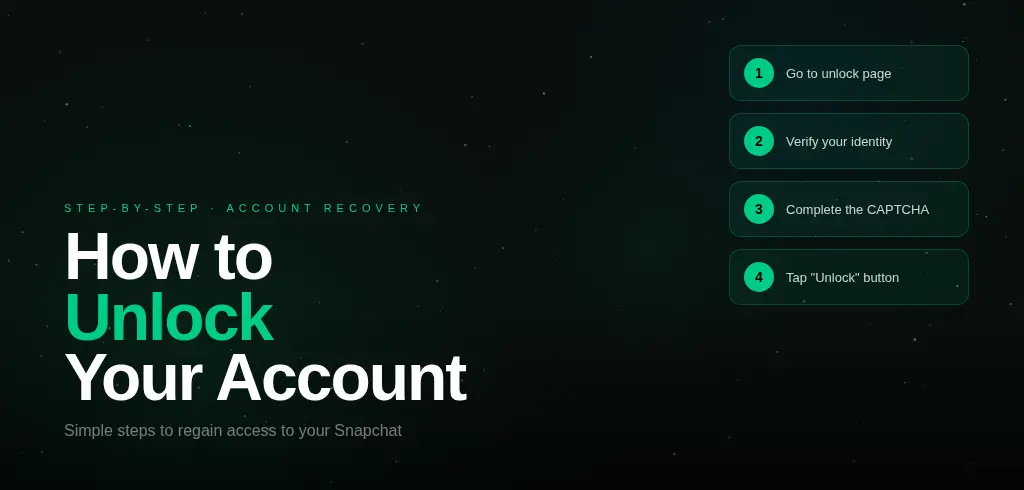
Step 3: Go to accounts.snapchat.com. Open a browser — on your phone or computer — and go to accounts.snapchat.com. Log in with your credentials and look for the "Unlock" button. Tap it. In most temporary lock cases, this is all it takes.
Step 4: Verify your identity if prompted. Snapchat may ask you to verify via your email address or phone number on file. Complete whatever verification is requested. If you no longer have access to the email or phone number on the account, this becomes more complicated — skip to the support section below.
Step 5: Change your password immediately. Once you're back in, change your password to something strong and unique. This signals to Snapchat's system that you've secured the account, and it reduces the chance of the same lock triggering again.
Step 6: Enable two-factor authentication. Go to Settings → Two-Factor Authentication and turn it on. This protects your account going forward and tells Snapchat's system that you're a legitimate owner who cares about security.
What If the Unlock Page Doesn't Work
If you go to accounts.snapchat.com and either can't log in or the unlock button doesn't appear, there are two possibilities: the lock hasn't expired yet, or there's a technical issue on Snapchat's end.
Wait another 24 hours and try again. If it still doesn't work after 72 hours total, contact Snapchat Support through the official app or at support.snapchat.com. Describe exactly what happened — when the lock appeared, whether you were using any third-party apps, and what message you saw. Be honest. Support can sometimes manually review and lift a temporary lock faster.
One important warning: never use third-party services that claim they can unlock your account for a fee. These are universally scams. Snapchat has confirmed that the only legitimate unlock process is through accounts.snapchat.com or the in-app appeal system. Anyone promising to unlock it another way is either going to take your money, steal your login details, or both.
Appealing a Permanent Lock
If your account shows the "Appeal Decision" option when you try to log in, it means Snapchat is willing to review the lock. Tap the button and follow the in-app process. Be specific about what happened and why you believe the lock was an error. Snapchat's review team can take up to 30 days to respond.
If there's no appeal option, the lock is final and the account cannot be recovered through official channels. In that case, your best option is to start fresh with a new account.
Starting Fresh — What to Do If Your Account Can't Be Recovered
If your account is gone permanently and can't be appealed, the most practical move is to create a new one and rebuild. The problem with brand new accounts is they start with zero credibility — no score, no history, nothing to signal to friends or brands that you're an established presence.
If you need to hit the ground running, our pre-made Snapchat accounts with built-in score let you skip the fresh-start problem entirely. Each account comes with full email access, a verified setup, and a real snap history — so you're not starting from zero. You can also add score to any account you already have through our score boost service if you want to rebuild faster on a new account.
For more on keeping your account safe and growing it the right way, read our guide on how to increase your Snapchat score fast — it covers which activities are safe and which ones put your account at risk.
How to Prevent This Happening Again
Once you're back in, a few simple habits will stop this from happening again. Only ever use the official Snapchat app downloaded from the App Store or Google Play. Never give your login credentials to any third-party service or tool. Enable two-factor authentication. Keep your recovery email and phone number updated. And if you travel internationally, don't be surprised if Snapchat flags the login — just complete the verification and you'll be fine.
If recovery fails completely
If the account cannot be recovered, the fastest fresh start is a ready-made Snapchat account with built-in score and history. Read also: complete Snapchat account recovery guide (2026) and how to recover a hacked Snapchat account without email or phone.